Hand Your Agent UI to DeepSeek Harness
I used to have a fairly large dashboard for film and video production. It contained many tools and already supported a substantial set of working business capabilities. As the product grew, the dashboard gradually turned into an ever-expanding toolbox: every new capability needed its own entry point, parameter interface, execution states, and results page, while users had to remember where each feature lived and in what order they were supposed to operate them.
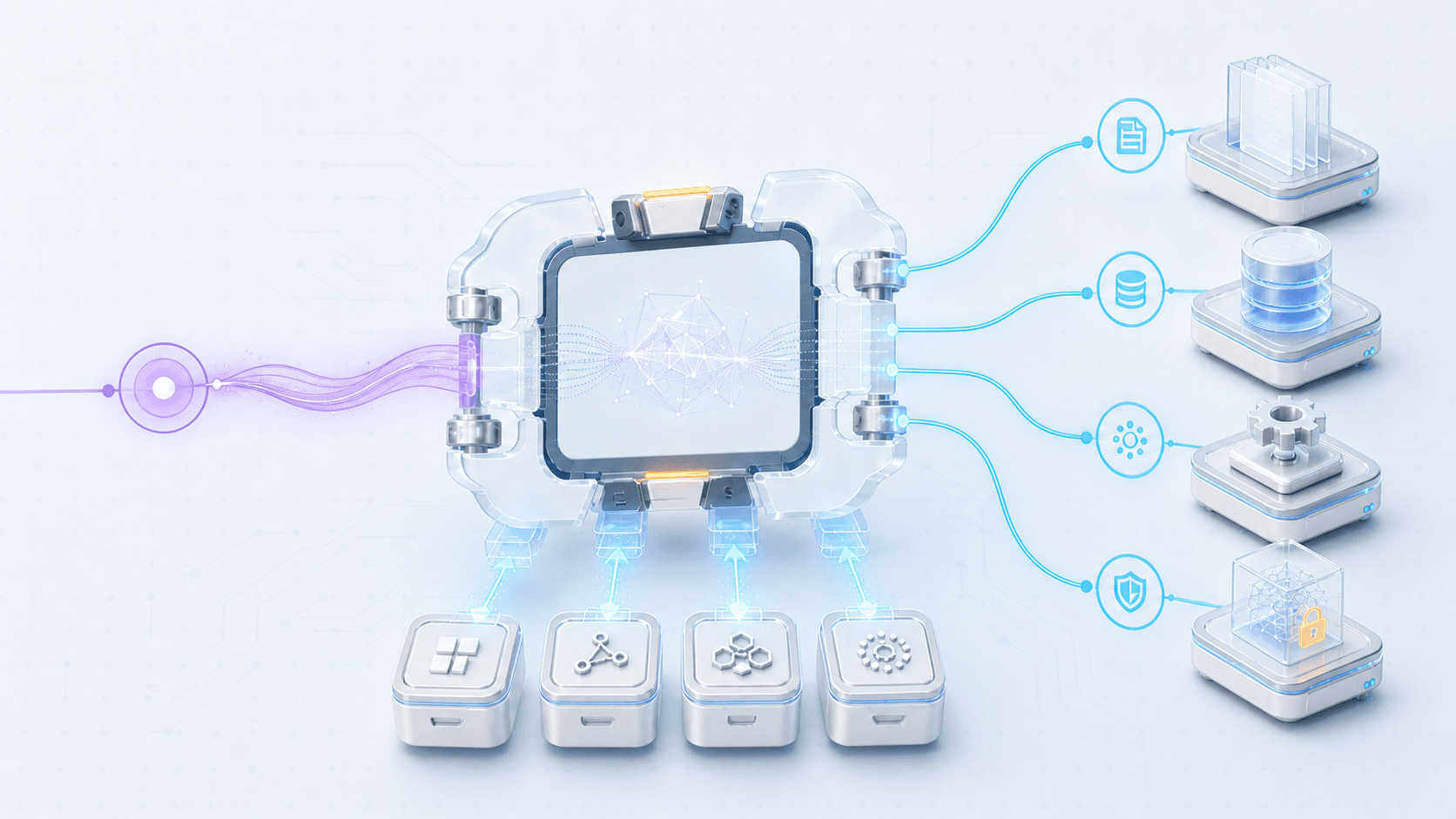
Yesterday, I tried connecting the system to DeepSeek Harness. I expected a major migration, but within a single day I had connected the capabilities scattered across the old dashboard to DeepSeek Harness and presented them through the Harness UI. The existing business capabilities were organized into a Harness plugin and exposed as tools the agent could call. DeepSeek Harness took over the conversation, tool calls, execution flow, and result presentation, while the original backend continued doing its job without being rebuilt.
What surprised me was not only the speed of the migration. Once it was done, I realized that a significant part of the time I had spent building the Agent UI had never gone into the film-production product itself. It had gone into infrastructure that nearly every agent team ends up rebuilding. If DeepSeek Harness already provides sessions, tool states, approvals, tasks, and a UI, why should we implement all of that again? This article is about why I decided to hand the Agent UI to DeepSeek Harness, and why I was able to make that change in one day.
Background: Between a Model and an Agent, You Still Need a Harness
What Does “Harness” Mean?
Harness was not originally an AI term. Its most familiar meaning is a set of straps and fittings used to connect, guide, or restrain power, such as a horse harness or a safety harness. A harness does not create the horse's strength, but it transfers that strength to a vehicle; a safety harness does not move on a person's behalf, but it protects them while they move. As a verb, to harness means to bring a source of power under control and put it to use, as in “harness wind power.”
An Agent Harness carries the same idea. A model may be capable of understanding and reasoning, but on its own it does not know where files are stored, preserve sessions, or decide when to call a tool, wait for user approval, retry a failed task, or stop. The Harness surrounds the model with context and tools, preserves execution state, manages permissions, tasks, and user interaction, and turns a sequence of isolated model decisions into a piece of work that can continue until it is done.
This is why DeepSeek describes an agent as Agent = Model + Harness. If I had to give Harness a more descriptive name, I would call it an “agent runtime control system” rather than simply a framework. A framework usually sounds like a code structure developers use while building software. A Harness does more than help build the agent: it participates in scheduling, recording, approving, and executing every real run. The model understands the user and decides what should happen next; the Harness connects that decision to the real environment while driving, constraining, and protecting the model's actions.
What Is the Difference Between a Plugin and an Agent Skill?
Once Harness is clear, the next distinction is between plugins and Agent Skills, two concepts that are often conflated. DeepSeek Harness says that “everything is a plugin”: models, tools, Skills, sessions, sandboxes, storage, scheduling, and the UI are all mounted and composed through Cordis plugins. A plugin and a Skill, however, are not two interchangeable solutions at the same layer. A plugin is a mechanism for extending the Harness Runtime, while a Skill is primarily a way to give the model a method of working that it can read and follow.
A plugin can change what the Harness is actually capable of doing. It can connect a business API, register tools, enforce permissions, listen to runtime events, add result cards, or provide lower-level capabilities such as models, storage, and UI. A Skill is closer to an on-demand operating manual. It tells the agent when to use certain tools, in what order to work, and how to judge whether the result is acceptable, but it does not create a new business interface out of thin air. Put simply, a plugin determines what an agent can do; a Skill tells the agent how to do it. The DeepSeek Harness Skills documentation likewise describes Skills as optional instructions rather than session events.
The difference becomes concrete in a film-production product. Giving the agent access to the business capabilities behind the old dashboard requires a plugin. Teaching the agent how to organize a film-production task, combine the available tools, and check its work before submitting a job is better expressed as a Skill. They are not mutually exclusive: a plugin can connect a set of real tools and provide Skills for using those tools well. In DeepSeek Harness, even Skill discovery and loading are themselves provided by plugins. Plugins therefore sit lower in the runtime, while Skills carry model-facing process knowledge and operating experience.
Why the Hardest Part of an Agent Is Neither the Model nor the Chat Box
When teams build their first agent, it is easy to focus on the model and the chat interface. Connecting a model API, rendering a list of messages, and adding streaming output can quickly produce a demo that appears functional. As soon as the model begins operating a real system, however, a different class of questions appears: how does it read the file the user just uploaded, how should the UI present several tool calls within one task, how does execution recover after a refresh, should a long-running task continue after the request disconnects, when should a failed operation retry, and how do paid, sensitive, or irreversible actions wait for user approval?
Chat products and agent products look similar, but their endpoints are different. A chat product usually ends with a piece of text: the user asks, the model answers, and the interaction is over. An agent product often ends with a real change in the outside world, such as reading material, updating a record, submitting a job, generating content, or canceling work already in progress. Once a model can affect an external system, session recovery, tool permissions, execution state, background jobs, approvals, and identity all become part of the product. A team that thinks it is merely building an Agent UI often discovers that it is also maintaining half of an Agent Runtime.
DeepSeek Harness organizes the runtime capabilities that are independent of any particular business but required by almost every agent. The model continues to understand and decide, the Harness makes those decisions executable, observable, and resumable, and the business system guarantees that the data is real, the action is valid, and permissions are enforced. Because these three layers can remain separate, I was able to preserve the film-production capabilities I already had while replacing the generic Agent interface around them in a single day.
How Is DeepSeek Harness Different from Codex and OpenCode?
Codex and OpenCode can also read files, call tools, preserve sessions, and run long tasks, and both come with their own interfaces. It would therefore be inaccurate to describe DeepSeek Harness as a framework while treating Codex and OpenCode as applications with nothing but a UI. All three have an Agent Runtime and a UI. What differs is the work they are organized around by default and the layer from which they invite developers to extend them.
Codex and OpenCode organize their product experience primarily around software engineering, which makes them more direct choices when what you want is a Coding Agent. Codex also provides an SDK and App Server, while OpenCode separates clients from its server. DeepSeek Harness, by contrast, treats models, tools, Skills, sessions, approvals, scheduling, and even the UI as recomposable plugins. For me, the point is not that DeepSeek Harness can do something the other two categorically cannot; it is that its composition model more naturally supports rebuilding a set of non-coding business capabilities as a new agent product. That is why this article focuses on DeepSeek Harness rather than trying to rank three Coding Agents. The official descriptions of Codex as a platform and the OpenCode Server explain how each exposes its runtime and client layers.
Why the Harness UI Should Replace a Custom Agent UI
Many teams have accepted that they should not build their own model, and an increasing number accept that they should not rewrite an Agent Runtime either, yet still assume that the UI must be built from scratch. The reason is straightforward: a chat interface does not look difficult. Put a session list on the left, messages in the middle, and an input box at the bottom, and a frontend engineer can produce a prototype quickly. But that is a chat UI, not a complete Agent UI.
A real Agent UI has to understand what the agent is going through. The model may be streaming output or may already have started its first tool call. Once that tool finishes, the agent may call a second one or pause for approval because permission is missing. When the user clicks stop, the frontend, Runtime, and background task need to converge on a consistent state. When the user refreshes or signs in again, the prior plan, tool results, failure reasons, and approval decisions must all reappear correctly. These may look like interface concerns, but they are fundamentally the agent's state machine.
Building a chat box means implementing a page. Building an Agent UI means implementing the other half of the Runtime. The DeepSeek Harness Web UI can take over that responsibility not merely because its input box is already drawn, but because it uses the same session and event model as the Runtime. Model output, execution boundaries, tool calls, tool results, and approval states all come from the same trajectory, and the UI can reconstruct the state of a session from that trajectory when it resumes. This avoids a common split in custom interfaces, where the Runtime has moved to the next step while the page still shows the previous one, or a tool has failed while the transcript contains nothing more than “running.”
Want more practical breakdowns?
AI, engineering, and experiments. One or two useful emails a month.
No spam. Unsubscribe anytime.
From a product-investment perspective, reusing the Harness UI is also more rational than continuing to maintain a custom Agent UI. Session management, streaming output, tool state, approvals, cancellation, recovery, attachments, and error presentation are generic needs shared by most agents, but they rarely form the competitive advantage of a business product. Users will not pay more because a team rebuilt all of them. They care about which data the agent can access, which jobs it can complete, and whether it can complete them reliably. Handing the Agent UI to DeepSeek Harness avoids maintaining a second session and event protocol and allows the team to spend more time on capabilities that are actually its own.
My film-production dashboard demonstrates the difference. In the past, every new tool forced me to decide which page it belonged on, which form should collect its parameters, how its running state should look, how a failure should be explained, and where the user should go when it completed. After moving to Harness, the questions became much closer to the business itself: what is the boundary of this capability, when should the agent call it, which inputs does it require, and how should later tools use its output? The old product organized capabilities around pages and buttons; the new one organizes them as tools an agent can understand and compose.
Replacing the Agent UI does not mean compressing the entire business product into a chat window. What gets replaced is the conversation, tool entry points, execution state, approvals, and task workspace built specifically for the agent. Existing business APIs, databases, generation services, and result pages that still matter can remain in place. The Harness UI becomes the unified place where users collaborate with the agent, the business system continues to provide the actual film-production capabilities, and plugins, result cards, and business links connect the two. This division does not weaken the original product; it frees the team from repeatedly rebuilding agent infrastructure.
The First Rule of Migration: Do Not Fork
The easiest misconception when moving an existing product to DeepSeek Harness is that you should copy the official source and reshape its pages and runtime logic around the old dashboard. That approach appears to provide maximum freedom in the short term, but it quickly leads back to maintaining a private Harness. Once the session model, event protocol, tool pipeline, and core UI have been modified, every upstream release becomes a merge project and the team once again owns the full Runtime maintenance burden.
One important reason I could complete the change in a day was that I did not modify the DeepSeek Harness core. I put the existing business capabilities behind the extension boundaries it already provides. Plugins connect business tools and presentation, Personas and Skills describe how the agent should work, and Profiles, Presets, and Patches compose different capabilities and runtime environments. There is no need to turn each concept into a configuration tutorial here. The principle that matters is simple: do not turn the Harness into your business system; connect your business capabilities to the Harness.
This approach also preserves the ability to upgrade. Sessions, tool execution, approvals, and the base UI can continue to evolve upstream, while film-production capabilities remain in my own plugins and business services. DeepSeek Harness is still in developer preview and its interfaces will continue to change, which makes it even more important to pin a verified version and test plugin loading, session recovery, tool calls, approvals, and custom presentation when upgrading. Not forking does not make upgrades free; it confines their cost to explicit extension boundaries instead of forcing the team to rediscover a heavily modified codebase every time.
The Actual Architecture: DeepSeek Harness in a Container on ECS
In my implementation, DeepSeek Harness is not a collection of frontend components embedded in the old dashboard. It is packaged as a complete container and runs on ECS as an independent Agent Runtime. The container includes a pinned DeepSeek Harness version, the Profiles and Personas in use, and the film-production plugin. ECS starts and manages the runtime instance, while the Harness UI, Agent sessions, and tool execution all come from that same Runtime. The original product no longer needs to carry the Agent UI's internal state or understand how many steps or tool calls occur inside a session.
User
  ↓
Sign in to the existing product
  ↓
Business system issues a short-lived launch credential
  ↓
Agent Gateway verifies identity and resolves the Runtime
  ↓
DeepSeek Harness container on ECS ←→ Persistent directory on EFS
  ├─ Harness Runtime
  ├─ Harness Web UI
  ├─ Profile / Persona
  └─ Film-production plugin
          ↓
     Existing business APIs
          ↓
Data, job system, and film-production capabilities
The container does not repackage the entire business system. It creates a clear deployment boundary around the Harness. Model calls, session progression, tool scheduling, and UI events happen inside the container, while plugins reach the existing business APIs through controlled interfaces. Data, generation jobs, and authoritative results remain under the management of the existing system. In other words, what runs on ECS is the agent's operating layer, not a second film-production backend. This separation allows the Harness to be released, scaled, and rolled back independently without forcing the existing business services to change how they are deployed merely because the UI moved.
The writable filesystem inside the ECS container is not responsible for persistence. When the container starts, it mounts EFS and places the Harness persistence directory, session records, and workspace files behind that durable storage boundary, shared at the infrastructure level but isolated by Runtime. When an ECS task is replaced or redeployed, the new container can mount the corresponding directory and recover the existing sessions and workspaces, so rolling back an image does not also discard user state. EFS keeps data alive across tasks; the entry layer still owns the mapping between a Runtime and its sessions rather than relying on an arbitrary container to remember it temporarily.
Containerization also turns “do not fork” from a source-code principle into a deployment principle. For every release, I build an image containing a known Harness version and my own extensions instead of installing the latest version at server startup or maintaining a modified copy of the Harness source. The Profile, Persona, and plugin enter the environment with the image, so the exact unit tested locally can be handed to ECS as a complete runtime. When Harness needs to be upgraded, I build and verify a new image; if something goes wrong, I can return to a version that has already run successfully.
On the identity path, the browser does not directly tell the Harness who the user is. The user first signs in to the existing product, which issues a short-lived, signed launch credential. The Agent Gateway verifies that credential, resolves the Runtime the user should enter, and carries the trusted identity into the Harness. Ordinary HTTP requests and WebSockets use the same identity and Runtime routing relationship, preventing the session shown by the page from landing in a different context from the task being executed. The launch credential provides secure entry into the Runtime; it does not replace authorization for individual business resources.
When the plugin calls a business API, it carries two identities. The service identity proves that the request came from a trusted Agent Runtime, while the user identity states on whose behalf the operation is being performed. The business service still makes the final authorization decision based on the user, project, resource, and operation. Containers, ECS, and EFS provide runtime isolation, lifecycle management, and durable state respectively, but none of them replaces application-level identity and authorization.
This separation is also what kept the migration simple. From the old dashboard's perspective, DeepSeek Harness is no longer a set of UI components that must be embedded and continuously synchronized; it is a clearly bounded Agent service that can be deployed independently. From the Harness's perspective, the film-production system is not an internal module that has to be moved into the Runtime; it is a set of external capabilities exposed through plugins. The two communicate through stable interfaces while preserving their own data and release cycles, so moving the UI does not turn into a rewrite of the entire backend.
What Did I Actually Migrate in One Day?
The migration did not reproduce the old dashboard pixel for pixel inside a new interface, nor did it reimplement every film-production capability with an agent. The dashboard really contained two different categories of things: the business capabilities the product had genuinely accumulated, and the pages, buttons, parameter entry points, and state presentations that had grown around those capabilities so users could operate them. The first category was the product; much of the second was generic Agent UI.
I reviewed the functions in the old dashboard, turned the business capabilities behind its buttons into tools the agent could understand, and connected those tools to DeepSeek Harness through a plugin. The existing backend continued to execute real jobs and preserve results, while the Harness understood user goals, selected tools, organized execution, and presented the state in one interface. I did not have to redraw every old page or implement another session and task system. I only needed to make the boundary between the business capabilities and the Harness explicit.
Before

Film-production dashboard
  ├─ Scattered feature entry points
  ├─ Separate parameter and state interfaces
  ├─ Separate result presentations
  └─ The business capabilities behind them

After

DeepSeek Harness UI
  ├─ Conversation and task understanding
  ├─ Tool selection and composition
  ├─ Execution state and result presentation
  └─ Harness plugin
       └─ Existing business capabilities
The migration fit into one day not because the old dashboard was simple, but because I did not rewrite the existing business or build another Agent Runtime. The core change was from a page-centered way of organizing features to a tool-centered way of organizing capabilities. Previously, users had to know which page contained a function and which button to click next. Now they can state the outcome they want, the agent can select and compose tools, and the Harness can present the entire process.
This is why moving to the Harness UI is not a conventional frontend refactor. A conventional refactor generally preserves the page structure while replacing its implementation. This migration changed the product's interaction model. The old dashboard fixed capabilities into pages and menus; the Harness turns them into capabilities the agent can understand, compose, and schedule. The UI no longer needs to define one predetermined entry point for every possible workflow, because the agent can organize the tools dynamically around the user's goal.
How a Plugin Connects the Existing Business Toolbox
A plugin can connect the capabilities behind a large dashboard not because it rewrites all of the business code, but because it serves as an adapter between the Harness and the existing system. Facing upward, it describes business capabilities to the agent as tools with clear names and inputs. Facing downward, it continues to call existing services, leaving the original business system responsible for reading data, executing jobs, and saving results. The web product, mobile clients, and agent can therefore reuse the same backend capabilities, and a permission or business-rule change does not have to be maintained in several implementations.
Tool boundaries matter greatly here. An all-powerful tool may be quick to connect, but it hides the dashboard's entire complexity inside one call, making it difficult for the model to use correctly and impossible for the user to see where execution currently stands. Once reading, planning, formal execution, status queries, and result retrieval become tools with explicit responsibilities, the model can choose the right action more reliably and the Harness UI can present the execution clearly. A tool is not an old page with a new name; it is a new description of the smallest genuine business capability the product owns.
For paid, sensitive, or irreversible actions, the plugin must work with both the Harness approval mechanism and the business backend. The agent can first explain the parameters it intends to use, the possible cost, and the scope of the change. The Harness can obtain user approval before the formal call, and the business backend can then verify authorization against a trusted user identity. A prompt can remind the model to be careful and the UI can let a user inspect and approve the action, but the final boundary that cannot be bypassed must remain on the server. Moving to the Harness UI does not give authority to the model; it brings approval into the same trajectory as the agent's execution.
Long-running work follows the same principle. A plugin does not need to wait until video generation or another lengthy operation finishes. It can submit a job and receive an identifier, leave the original background system running, and let the agent query status and retrieve the result. The Harness explains to the user what is happening, while the business system remains responsible for queues, retries, cancellation, idempotency, and authoritative results. The session history describes what the agent did; the business database records what the system actually accepted. Keeping those responsibilities distinct prevents a UI change from creating a second source of business truth.
Turning dashboard capabilities into a plugin therefore does not move the backend into the Harness. It gives the existing capabilities a new way to be invoked. The plugin gives the Harness real tools, Skills can teach the agent how to compose them professionally, and the Harness UI places conversation, execution, and results on one trajectory the user can understand. Together, these pieces turn a collection of scattered functions from a toolbox into an agent that can keep working toward an outcome.
From a Dashboard to a Real Agent
Looking back at the one-day migration, the biggest change was neither that there were fewer pages nor that a chat box replaced a set of buttons. What changed was how the product organizes its capabilities. The old dashboard required users to understand the information architecture, know where each tool lived, and decide how every step should connect to the next. After the move to DeepSeek Harness, users describe what they want to accomplish, the agent understands the goal and organizes the tools, the Harness preserves state, presents the process, and brings the user in when necessary, and the original business system continues to perform the actual film-production work.
This is why I believe teams that already have models, business APIs, and execution capabilities should seriously consider handing their Agent UI to DeepSeek Harness. Continuing to build sessions, tool states, approvals, recovery, and task presentation often means building another Harness. Using an existing Harness does not mean giving up control of the product, because the valuable data, workflows, and execution capabilities remain in the business system. What you hand off is generic infrastructure; what you keep is the part that truly differentiates the product.
I connected my film-production dashboard to DeepSeek Harness in one day, not because the dashboard was simple, but because the capabilities that mattered already existed. I did not need to build them again. I only needed to reorganize them from scattered features inside pages into a plugin the agent could call. DeepSeek Harness took over the generic runtime and Agent UI, and I could finally put my time back into film production itself.
Further reading: DeepSeek Harness overview, DeepSeek Harness architecture, DeepSeek Harness Skills, Codex as a platform, and the OpenCode Server documentation.
New ideas, straight to your inbox.
AI, engineering, and experiments. One or two useful emails a month.
No spam. Unsubscribe anytime.