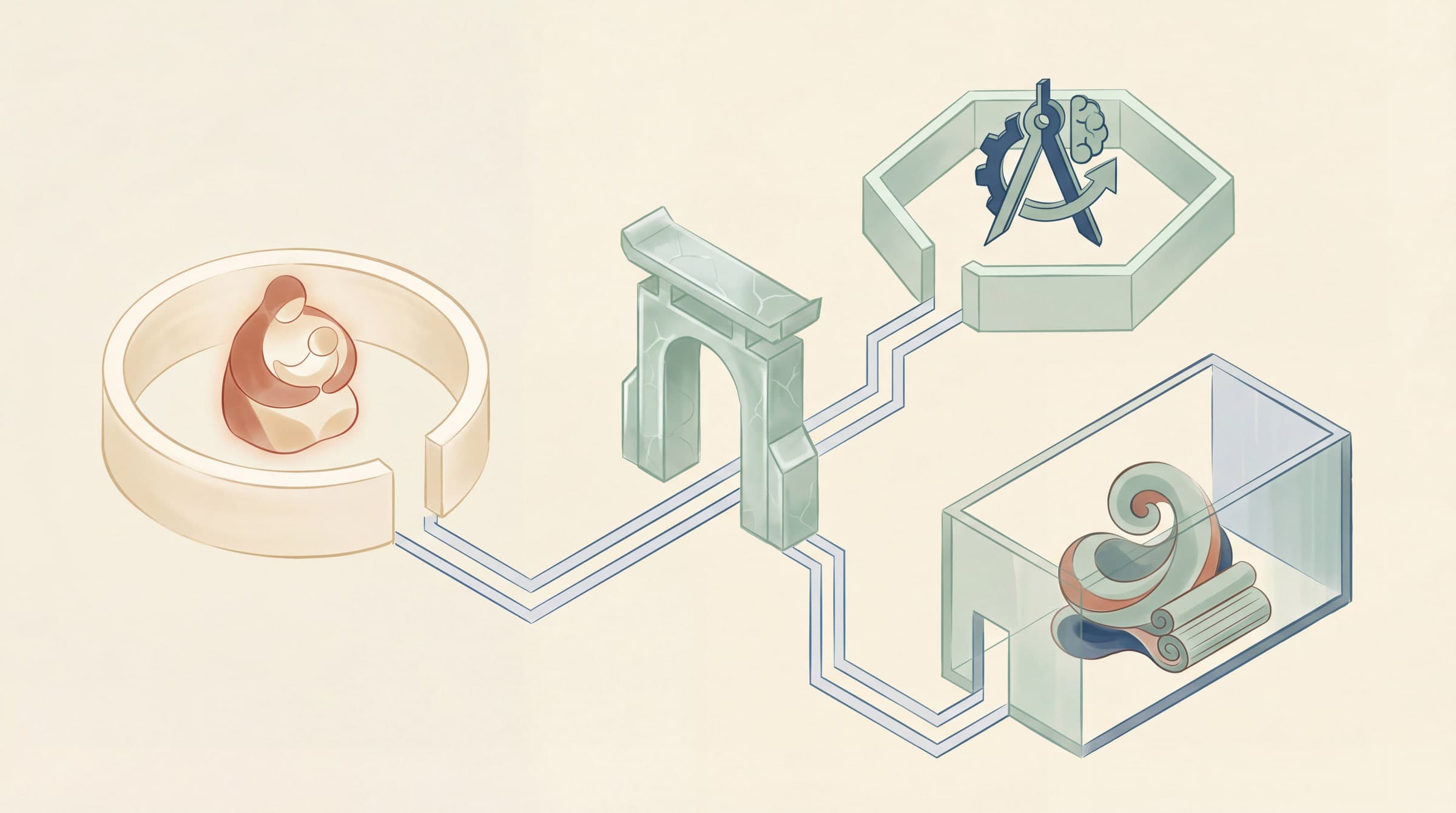
One OpenClaw Gateway, Multiple Agents: Drawing the Lines
Sooner or later, every OpenClaw user hits the same wall: one agent isn't enough.
Work messages need one agent. Family group chat needs another. And maybe a third one running Opus for deep analysis. Three agents, three personalities, three workspaces, three sets of credentials, three separate conversation histories. No crosstalk.
Reasonable ask? Completely. You already context-switch between work and personal life. Why should your AI be stuck with one personality?
OpenClaw supports multi-agent natively. No extra instances, no reverse proxy, no additional infrastructure. One Gateway process, as many agents as you want.
This post covers the full setup from end to end.
What an Agent Actually Is
A lot of people think "agent" means "a model instance" or "a prompt." Wrong.
An agent is a fully independent scope. It owns three things:
- A workspace: files, AGENTS.md, SOUL.md, USER.md, local notes, persona rules. Lives at
~/.openclaw/workspace-<agentId> - A state directory (
agentDir): auth profiles, model registry, per-agent config. Lives at~/.openclaw/agents/<agentId>/agent - Session storage: chat history and routing state. Lives at
~/.openclaw/agents/<agentId>/sessions
One hard rule to remember: auth profiles are per-agent. Each agent reads from its own path:
~/.openclaw/agents/<agentId>/agent/auth-profiles.json
The main agent's credentials don't automatically flow to other agents. If you share an agentDir between two agents to save time, you'll get auth conflicts and session crosstalk. Want two agents using the same creds? Copy the auth-profiles.json file manually.
"Don't share" is not the full story
The "no automatic sharing" statement is true at the filesystem level. Runtime behavior is more nuanced.
Under the hood, ensureAuthProfileStore does a merge load: it reads the main agent's auth-profiles.json as a base layer, then reads the target agent's as an override. The two get merged. This means:
- If a non-main agent hasn't configured credentials for a particular provider, it falls back to main's credentials
- If a non-main agent has a profile with the same name, its credentials override main's
- Usage stats and profile ordering also merge
So the real behavior is: main agent credentials serve as a fallback layer visible to all agents, and each agent can selectively override specific profiles. More permissive than full isolation, more secure than full sharing. A reasonable middle ground.
Agent ID naming rules
Agent IDs aren't freeform. The validation rules from source:
- Must match
/^[a-z0-9][a-z0-9_-]{0,63}$/i: starts with alphanumeric, max 64 chars, only letters, digits, underscores, hyphens - Invalid characters get replaced with hyphens, leading/trailing hyphens stripped
- All IDs stored lowercase
- Empty ID falls back to
"main" openclaw agents addrejectsmainas a reserved ID
Single Agent: Where You Probably Are Now
Fresh OpenClaw install, nothing configured. You're running one agent:
agentIddefaults tomain- Session key is
agent:main:main - Workspace at
~/.openclaw/workspace - State directory at
~/.openclaw/agents/main/agent
This is the out-of-box state. Everything below builds on top of it.
Adding Agents: The Fast Path
No need to hand-write JSON. The built-in wizard handles it:
openclaw agents add work
It walks you through workspace setup and binding rules. Verify when you're done:
openclaw agents list --bindings
All agents and their routing bindings, at a glance.
What the wizard does behind the scenes
A few behaviors worth knowing:
- Pass any flag like
--workspaceor--nameand the wizard skips interactive mode entirely, using flag values directly. If it sees flags, it assumes you know what you want - In interactive mode, the wizard asks whether to copy the default agent's
auth-profiles.jsonto the new agent. Safest way to bootstrap credentials agents list --bindingsdoesn't just show bindings. It also flags which agents have no explicit bindings and are relying on default fallback
Manual Config: openclaw.json
All multi-agent config lives in ~/.openclaw/openclaw.json (JSON5 format). Two core sections: agents.list defines agents, bindings defines where messages go.
Two numbers, two agents
Personal number for life, business number for work. Route each to a separate agent:
{
  agents: {
    list: [
      {
        id: "home",
        default: true,
        name: "Home",
        workspace: "~/.openclaw/workspace-home",
        agentDir: "~/.openclaw/agents/home/agent",
      },
      {
        id: "work",
        name: "Work",
        workspace: "~/.openclaw/workspace-work",
        agentDir: "~/.openclaw/agents/work/agent",
      },
    ],
  },

  bindings: [
    { agentId: "home", match: { channel: "whatsapp", accountId: "personal" } },
    { agentId: "work", match: { channel: "whatsapp", accountId: "biz" } },

    // Route a work group under the personal number to the work agent
    {
      agentId: "work",
      match: {
        channel: "whatsapp",
        accountId: "personal",
        peer: { kind: "group", id: "1203630...@g.us" },
      },
    },
  ],

  channels: {
    whatsapp: {
      accounts: {
        personal: {},
        biz: {},
      },
    },
  },
}
Each accountId maps to a WhatsApp login instance. Credentials stored at ~/.openclaw/credentials/whatsapp/<accountId>/ by default.
Split by channel: WhatsApp for chat, Telegram for deep work
WhatsApp on a fast model for everyday stuff, Telegram on Opus for real work:
{
  agents: {
    list: [
      {
        id: "chat",
        name: "Everyday",
        workspace: "~/.openclaw/workspace-chat",
        model: "anthropic/claude-sonnet-4-5",
      },
      {
        id: "opus",
        name: "Deep Work",
        workspace: "~/.openclaw/workspace-opus",
        model: "anthropic/claude-opus-4-5",
      },
    ],
  },
  bindings: [
    { agentId: "chat", match: { channel: "whatsapp" } },
    { agentId: "opus", match: { channel: "telegram" } },
  ],
}
If you have multiple WhatsApp accounts, add accountId to the bindings.
Same channel, specific contact gets a different agent
Same agent definitions as above (chat + opus), just different bindings. Most WhatsApp messages go to the fast agent, but one contact gets Opus:
{
  bindings: [
    // Peer binding is more specific, wins automatically
    { agentId: "opus", match: { channel: "whatsapp", peer: { kind: "dm", id: "+15551234567" } } },
    { agentId: "chat", match: { channel: "whatsapp" } },
  ],
}
Peer bindings always outrank channel-level rules. Array order doesn't matter, but putting the more specific one first reads better.
One number, multiple people
You and your co-founder share one WhatsApp number. Each wants their own agent. Split by sender:
{
  agents: {
    list: [
      { id: "alex", workspace: "~/.openclaw/workspace-alex" },
      { id: "mia", workspace: "~/.openclaw/workspace-mia" },
    ],
  },
  bindings: [
    { agentId: "alex", match: { channel: "whatsapp", peer: { kind: "dm", id: "+15551230001" } } },
    { agentId: "mia", match: { channel: "whatsapp", peer: { kind: "dm", id: "+15551230002" } } },
  ],
  channels: {
    whatsapp: {
      dmPolicy: "allowlist",
      allowFrom: ["+15551230001", "+15551230002"],
    },
  },
}
Two caveats: replies still come from the same WhatsApp number (no per-agent sender identity), and the DM allowlist is global, not per-agent.
How Routing Priority Works
Bindings are deterministic. Most specific match wins.
The routing engine doesn't score each binding and sort. It defines 8 ordered tiers and scans top-down. Each tier is only evaluated if the previous one didn't match:
binding.peer(exact person or group)binding.peer.parent(thread/topic parent matching)binding.guild+roles(Discord guild + role intersection)binding.guild(Discord)binding.team(Slack)binding.account(channel accountId)binding.channel(channel-level,accountId: "*")- Fallback to default agent (
agents.list[].default: true, or the first one if none is marked)
Does array order matter?
Across tiers, no. A peer binding always beats a channel binding regardless of position. But within the same tier, if multiple bindings match, the first one in the array wins. Two peer bindings pointing to the same group but routing to different agents? The one written first takes it.
Thread messages follow their parent
Tier 2 is easy to miss. Messages in a Discord forum thread or Telegram topic inherit the parent peer's routing, even if the thread itself has no binding. Configure a binding for the parent channel/group and all threads underneath route to the same agent automatically.
Want more practical breakdowns?
AI, engineering, and experiments. One or two useful emails a month.
No spam. Unsubscribe anytime.
group and channel are interchangeable
The source code treats group and channel as synonyms in peer kind matching. A binding with kind: "group" matches peers with kind: "channel" and vice versa. Different platforms call them different things; OpenClaw papers over the difference.
The routing engine has two layers of caching. Performance is not a concern.
Session Keys: Not as Simple as You Think
You might assume the session key is just agent:<agentId>:main. That's only the default. The actual key depends on dmScope:
dmScope value | DM Session Key format |
|---|---|
main (default) | agent:<agentId>:main |
per-peer | agent:<agentId>:direct:<peerId> |
per-channel-peer | agent:<agentId>:<channel>:direct:<peerId> |
per-account-channel-peer | agent:<agentId>:<channel>:<accountId>:direct:<peerId> |
Group/channel messages always include the full channel and peer info: agent:<agentId>:<channel>:group:<groupId>.
The default dmScope: "main" means all DMs share one session. Your conversation with Alice is visible when Bob messages the same agent. Want per-person isolation? Set dmScope: "per-peer".
Merging the same person across platforms
session.identityLinks maps different platform IDs to a single canonical ID:
{
  session: {
    dmScope: "per-peer",
    identityLinks: {
      "canonical-alice": ["telegram:12345678", "whatsapp:+15551234567"],
    },
  },
}
Alice chatting on Telegram and WhatsApp now hits the same session key, sharing context across platforms.
Different Agents, Different Trust: Sandbox and Tool Permissions
Since v2026.1.6, each agent can have its own sandbox mode and tool restrictions.
Your personal agent? You trust it, let it run on the host. Your family group bot? It's facing your family and friends, and you can't predict what messages they'll send or what operations they'll trigger. Different trust, different permissions.
Full access vs read-only
{
  agents: {
    list: [
      {
        id: "personal",
        workspace: "~/.openclaw/workspace-personal",
        sandbox: {
          mode: "off",
        },
      },
      {
        id: "family",
        workspace: "~/.openclaw/workspace-family",
        sandbox: {
          mode: "all",
          scope: "agent",
        },
        tools: {
          allow: ["read"],
          deny: ["exec", "write", "edit", "apply_patch", "process", "browser"],
        },
      },
    ],
  },
}
The default scope isn't what the docs say
Documentation often claims scope defaults to "session". The source code tells a different story. resolveSandboxScope logic:
- Explicit
scopeset? Use it - Legacy
perSession: true(boolean)? Convert tosession.perSession: false? Convert toshared - Nothing set? Default is
agent
The three scope options:
| scope | Meaning | scope key |
|---|---|---|
session | One container per session | Full session key |
agent | One container per agent (default) | agent:<agentId> |
shared | All agents share one container | Fixed string "shared" |
Container names are the scope key slugified + first 8 chars of its SHA256 hash. Unique and filesystem-safe.
Pinning a family agent to a group
Lock a family agent to one WhatsApp group, restrict tools, set up mention patterns:
{
  agents: {
    list: [
      {
        id: "family",
        name: "Family",
        workspace: "~/.openclaw/workspace-family",
        identity: { name: "Family Bot" },
        groupChat: {
          mentionPatterns: ["@family", "@familybot", "@Family Bot"],
        },
        sandbox: {
          mode: "all",
          scope: "agent",
        },
        tools: {
          allow: ["exec", "read", "sessions_list", "sessions_history",
                  "sessions_send", "sessions_spawn", "session_status"],
          deny: ["write", "edit", "apply_patch", "browser", "canvas", "nodes", "cron"],
        },
      },
    ],
  },
  bindings: [
    {
      agentId: "family",
      match: {
        channel: "whatsapp",
        peer: { kind: "group", id: "120363999999999999@g.us" },
      },
    },
  ],
}
The allow/deny lists gate tools, not Skills. If a skill needs to run an executable, make sure exec is on the allow list and the binary exists inside the sandbox container.
How tool filtering stacks
Tool filtering is layered. Each layer can only tighten, never loosen:
- Tool profile (
tools.profileoragents.list[].tools.profile) - Provider tool profile
- Global tool policies (
tools.allow/tools.deny) - Provider tool policies
- Agent-level tool policies (
agents.list[].tools.allow/deny) - Agent Provider policies
- Group tool policies
- Sandbox tool policies
- Subagent tool policies
Once an upper layer denies something, no lower layer can add it back. Hard rule.
One defensive mechanism worth knowing: if your allow list contains only plugin tool names, the system won't accidentally kill all core tools (read, write, exec, etc.). The code detects "plugin-only allowlists" and ignores their effect on built-in tools. Prevents a common misconfiguration.
Skills: Per-Agent vs Global
With multiple agents each having their own workspace, skills get a scoping question:
- Per-agent skills live in
<workspace>/skills, visible only to that agent - Global skills live in
~/.openclaw/skills, visible to every agent on the machine - Extra shared directories via
skills.load.extraDirs
Same skill name in multiple locations? Priority: workspace > managed/local > bundled.
Can Agents Talk to Each Other?
Not by default. Agents are fully walled off unless you opt in:
{
  tools: {
    agentToAgent: {
      enabled: false,  // default
      allow: ["home", "work"],
    },
  },
}
Intentional security choice. Without the flag, agents can't exchange a single message.
The allow list supports glob patterns. "*" opens all agent-to-agent communication. "work-*" allows all agents with IDs starting with work-. Same-agent communication (one session talking to another session of the same agent) is always allowed regardless.
Not just fire-and-forget: the A2A conversation protocol
Agent-to-agent communication isn't one-way messaging. It's a full ping-pong protocol:
- Requester agent sends a message to the target via
sessions_send - The two agents can go back and forth, up to 5 rounds (hard cap)
- Either side can send
REPLY_SKIPto terminate early - After the conversation ends, the system can push the final result to an external channel. The agent can reply
ANNOUNCE_SKIPto end silently timeout=0for fire-and-forget: send and move on
Who can see whose sessions
Agent visibility over other sessions comes in four levels:
| Level | What it means |
|---|---|
self | Can only see own current session |
tree (default) | Can see sessions it spawned |
agent | Can see all sessions under the same agent |
all | Can see all sessions across all agents |
Sandbox environments tighten this further, defaulting to spawned (equivalent to tree). No cross-agent session access from inside the sandbox.
Migrating from Single to Multi-Agent
If your existing config looks like this:
{
  agents: {
    defaults: {
      workspace: "~/.openclaw/workspace",
      sandbox: { mode: "non-main" },
    },
  },
}
Migration is straightforward. Turn the existing agent into the first agents.list entry, mark it default: true, add new agents after it:
{
  agents: {
    list: [
      {
        id: "main",
        default: true,
        workspace: "~/.openclaw/workspace",
        sandbox: { mode: "off" },
      },
      {
        id: "work",
        workspace: "~/.openclaw/workspace-work",
      },
    ],
  },
}
Legacy agent.* configs auto-migrate with openclaw doctor. After migration, use the agents.defaults + agents.list format.
How default agent resolution works
resolveDefaultAgentId is defensive:
agents.listempty? Return"main"- Multiple agents marked
default: true? Warn once (not on every config read), use the first one - No agent marked
default: true? Use the first entry inagents.list - Extracted ID is empty string? Fall back to
"main"
Workspace path matching uses longest-prefix-wins: when reverse-looking up agent ID from a workspace path, the longest matching path takes priority.
Verification
Config done. Check four things.
- Agent resolution and bindings:
openclaw agents list --bindings
- Sandbox container status (if using sandboxing):
docker ps --filter "name=openclaw-sbx-"
-
Tool restriction verification: send the restricted agent a message that deliberately triggers a denied tool. Confirm it gets blocked.
-
Logs:
tail -f "${OPENCLAW_STATE_DIR:-$HOME/.openclaw}/logs/gateway.log" | grep -E "routing|sandbox|tools"
For route debugging, enable verbose logging. The source outputs [routing] resolveAgentRoute and [routing] match: matchedBy=... at every routing step. Note: verbose mode disables routing cache, so turn it off when you're done.
Do Config Changes Need a Restart?
Mostly no. But not all config is equal.
The source defines granular hot-reload rules. Every config path falls into one of three categories:
| Type | Behavior | Config paths |
|---|---|---|
| none (no-op) | Instant effect | agents, bindings, tools, session, identity, skills, routing, messages |
| hot (hot-reload) | Restarts the relevant subsystem | hooks, cron, channel connections, heartbeat, health monitoring |
| restart (full restart) | Requires Gateway process restart | plugins, gateway itself, discovery, browser |
The configs you change most in a multi-agent setup (agents, bindings, tools, session) all fall in the first category. Truly zero-overhead, no restart, no delay.
Configs requiring restart go through SIGUSR1 graceful restart, waiting for the current queue to drain. Each channel plugin can register its own hot-reload prefix rules, so changing WhatsApp config only restarts the WhatsApp connection without touching Telegram.
Gotchas
Set mode: "all" on an agent but it's not sandboxed? Check whether agents.defaults.sandbox.mode is overriding it at the global level. Agent-level config takes priority, but only if it's actually set on the agent entry.
Tool shows as denied but still works? Inspect the filtering chain. Every layer can only tighten. Check logs for [tools] filtering tools for agent:${agentId}. Also check if your allow list only contains plugin tool names, since the code detects "plugin-only allowlists" and ignores their effect on core tools.
Containers not isolated per agent? As noted above, scope actually defaults to "agent". If isolation isn't working as expected, check for legacy perSession config interfering.
non-main mode behaving unexpectedly? agents.defaults.sandbox.mode: "non-main" checks session.mainKey (default "main"), not agent id. The logic is simple: if session key doesn't equal main session key, sandbox it. Group and channel sessions have their own keys (agent:<agentId>:<channel>:group:<groupId>), which never equal agent:<agentId>:main. So group sessions always get sandboxed under non-main mode. Want an agent to never be sandboxed? Set mode: "off" directly.
DM context leaking across conversations? The default dmScope: "main" means all DMs share one session. What you discussed with Alice is visible when Bob messages the agent. Not a bug. Set dmScope: "per-peer" to isolate.
Non-main agent using main's credentials? That's the ensureAuthProfileStore merge behavior: main's credentials serve as the fallback layer. If you don't want fallback, explicitly override the relevant profile in the non-main agent's auth-profiles.json (even if the override is empty).
The Bottom Line
Back to the original question: who handles what?
Running multiple agents on one OpenClaw Gateway comes down to three things:
- Define each agent in
agents.list(workspace, state directory, sandbox mode, tool permissions) - Define routing rules in
bindings(match by channel, account, contact, or group) - Each agent's auth, sessions, and skills operate independently unless you explicitly share them
Config changes take effect instantly, at least the ones you change most often. The routing engine is deterministic tiered matching, not fuzzy scoring. Auth isolation is slightly more permissive than the docs suggest, since main acts as a fallback layer. A2A communication has a full conversation protocol and visibility controls, not just an on/off switch.
These three things are really answering a more fundamental question: where do you draw your trust boundaries? Which agent gets how much trust, which messages get seen by whom, which tools stay locked down. The bindings, scopes, and allow/deny lists are just the technical expression of that call.
The tooling isn't complicated. The question is whether you've done the thinking.
New ideas, straight to your inbox.
AI, engineering, and experiments. One or two useful emails a month.
No spam. Unsubscribe anytime.