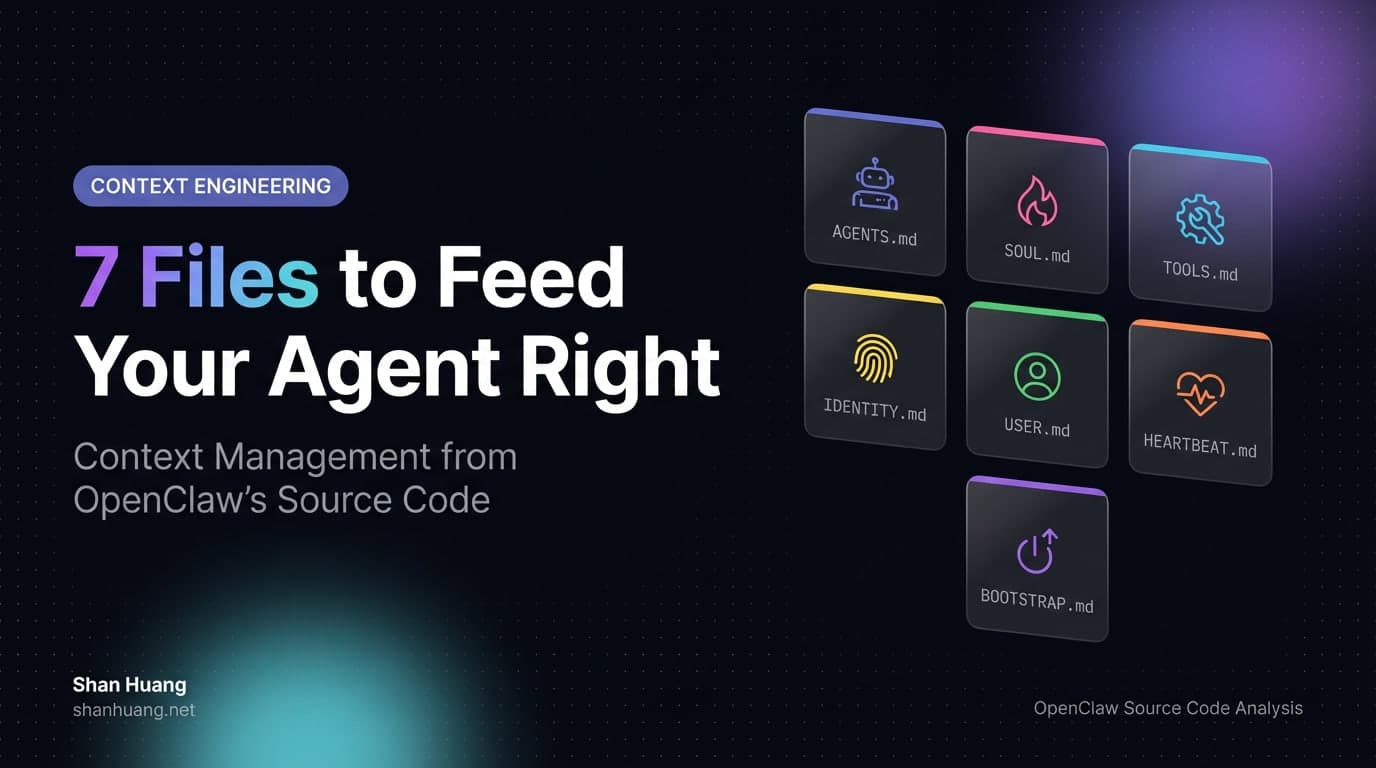
7 Files to Feed Your Agent Right: Context Management from OpenClaw's Source Code
Who controls the agent? Every builder needs to answer this before writing a single line of config.
Most people get it wrong. They think the model controls the agent. It doesn't. The model is a brain in a jar. Feed it nothing, it knows nothing. Feed it garbage, it produces garbage. The model doesn't decide what it sees. You do.
The prompt, then? Closer, but incomplete. A prompt is one sentence in a long conversation. The agent's behavior isn't shaped by that one sentence alone. It's shaped by everything surrounding it: the rules you wrote, the persona you defined, the tools you described, the memory you carried over from last week. All of this, taken together, is the context. Context is the real lever.
OpenClaw gets this. Its entire architecture is built around one idea: give users full control over the context their agent receives. Not through a dashboard. Not through a GUI. Through seven plain Markdown files sitting in a directory. You edit them with any text editor. The agent reads them on every run.
Seven files. That's it.
The Seven Files
OpenClaw loads these from the workspace root (default ~/.openclaw/workspace) into every agent session. The loading order is fixed:
| # | File | Purpose | When Loaded |
|---|---|---|---|
| 1 | AGENTS.md | Operational rules | Every session |
| 2 | SOUL.md | Persona and tone | Every session |
| 3 | TOOLS.md | Tool usage notes | Every session |
| 4 | IDENTITY.md | Name and image | Every session |
| 5 | USER.md | User profile | Every session |
| 6 | HEARTBEAT.md | Heartbeat checklist | Heartbeat runs only |
| 7 | BOOTSTRAP.md | First-run setup | First run only |
These seven files aren't equal. Some carry the main weight, others play supporting roles. Some appear every time, others show up once and disappear. Get this wrong and your config won't make sense.
AGENTS.md: The Rulebook
This is the most important file. Nothing else comes close.
AGENTS.md is the agent's operating manual. What rules to follow, what priorities to respect, what behaviors to exhibit. Every session loads it. After context compression, the system can re-inject its critical sections. It persists.
Everything you want the agent to obey goes here. Language preferences. Coding style. File handling rules. Memory management policies. Project context.
# AGENTS.md

## Ground rules
- Reply in English
- Write TypeScript, prefer functional style
- Don't touch files I didn't mention

## Memory
- Read the last two days of logs from memory/ at session start
- Record important decisions to memory/YYYY-MM-DD.md

## Project
- Next.js 14 + Tailwind CSS
- Deployed on Vercel
- PostgreSQL via Supabase
Write too little and the agent drifts. Write too much and you waste tokens. The sweet spot is under 20,000 characters. Anything beyond that gets truncated.
SOUL.md: The Personality
Most agent builders ignore personality. They end up with a technically correct but lifeless assistant. Polite, generic, forgettable.
SOUL.md fixes this. It defines the agent's character, tone, and boundaries. When OpenClaw detects this file, the system prompt injects a special instruction:
"If SOUL.md is present, embody its persona and tone. Avoid stiff, generic replies; follow its guidance unless higher-priority instructions override it."
It's the only file that gets this treatment. The system explicitly tells the model: stop being generic, be this instead.
# SOUL.md

You are a competent technical assistant with a dry sense of humor.

## Tone
- Concise. No filler.
- Say "I'm not sure" when you're not sure. Don't fabricate.
- Humor is fine. Excess isn't.

## Boundaries
- No role-playing as other characters
- No inventing APIs that don't exist
- Flag security issues immediately
A well-written SOUL.md is the difference between an agent you tolerate and one you actually want to talk to.
TOOLS.md: Usage Notes, Not Access Control
This one trips people up. TOOLS.md doesn't control which tools the agent can use. Tool availability is managed by system policy, not by this file.
It tells the agent how you prefer tools to be used in your specific environment. Your local CLI preferences, your build commands, your deployment workflow.
# TOOLS.md

## Local dev
- Use pnpm, not npm
- Test: `pnpm test`
- Build: `pnpm build`

## Deploy
- `vercel --prod` for production
- Always run `pnpm lint && pnpm test` before deploying

## Database
- Local connection: `psql postgresql://localhost:5432/mydb`
- Never hardcode database passwords
The system prompt makes this distinction explicit: "TOOLS.md does not control tool availability; it is user guidance for how to use external tools." Writing "don't use the shell tool" in TOOLS.md won't prevent the agent from using the shell tool. It's guidance, not a gate.
IDENTITY.md: The Face
Short file. Sets the agent's name, visual identity, theme, and representative emoji. Created during the bootstrap ceremony or updated manually.
# IDENTITY.md

- Name: Watcher
- Creature: Owl
- Vibe: Night sentry, quiet, reliable
- Emoji: owl emoji
Want more practical breakdowns?
AI, engineering, and experiments. One or two useful emails a month.
No spam. Unsubscribe anytime.
This file also feeds into the agent registration flow. If you run multiple agents with different identities, this is where you tell them apart.
USER.md: Who You Are
Tells the agent about you. Your name, preferences, timezone, skill level. The agent uses this to personalize its replies.
# USER.md

- Name: Alex
- Preferred address: First name is fine
- Timezone: America/Los_Angeles (UTC-7)
- Language: English replies, English code comments
- Notes:
  - Backend engineer, not strong on frontend
  - Prefers concise code, dislikes over-abstraction
Without this file, the agent treats you like a stranger every session. With it, the agent knows who it's talking to.
HEARTBEAT.md: The Patrol Checklist
Covered in detail in the Heartbeat article. The short version: this file is the agent's periodic checklist. It loads only during heartbeat runs, not in normal sessions or sub-agent runs.
Keep it short. It runs frequently. Every extra line burns tokens.
If the file contains nothing but a title and blank lines, OpenClaw skips the API call entirely. No waste.
BOOTSTRAP.md: The One-Time Setup
This file exists only in a brand-new workspace. It guides the initial setup: introduce yourself to the agent, set up identity, configure preferences. Once bootstrap is complete, the file gets deleted and never loads again.
Usually auto-generated by openclaw onboard or openclaw setup. You rarely need to touch it by hand.
What the Agent Actually Receives
Here's the part most people never see: the final system prompt that OpenClaw assembles and sends to the model.
OpenClaw doesn't use the model provider's default system prompt. It builds its own from scratch, every time. The structure, reconstructed from the source code in src/agents/system-prompt.ts:
Identity declaration
  "You are a personal assistant running inside OpenClaw."

Tooling section
  Available tools + descriptions
  Tool usage policy
  "TOOLS.md does not control tool availability..."

Tool call style rules

Safety directives
  No pursuing power, no self-replication, no bypassing oversight

CLI reference

Skills (full mode only)
  Available skill names + descriptions + locations

Memory instructions (full mode only)

Self-update instructions (full mode only)

Model aliases (if configured)

Workspace declaration
  "Your working directory is: /path/to/workspace"

Documentation references (if any)

Sandbox isolation info (if applicable)

Authorized senders (if configured)

Current date and time

Workspace files injection declaration
  "These user-editable files are loaded by OpenClaw
   and included below in Project Context."

Reply tags, messaging, voice, group chat context,
reactions, reasoning format (all optional)

---- Project Context ----
  "The following project context files have been loaded:"
  "If SOUL.md is present, embody its persona and tone..."

  AGENTS.md content
  SOUL.md content
  TOOLS.md content (may be truncated)
  IDENTITY.md content
  USER.md content
  HEARTBEAT.md content (or [MISSING] marker)
  BOOTSTRAP.md content (or [MISSING] marker)
---- End Project Context ----

Silent reply behavior (full mode only)

Heartbeat prompt (if applicable)

Runtime metadata
  host, OS, model, agent name
Your seven files land in the "Project Context" section near the bottom. Everything above is system scaffolding that OpenClaw manages. Everything inside them is yours.
The Numbers
| Item | Typical size |
|---|---|
| Total system prompt | ~38,000 chars (~9,600 tokens) |
| Project Context portion | ~24,000 chars (~6,000 tokens) |
| Per-file truncation limit | 20,000 chars (configurable) |
| Total bootstrap file limit | 150,000 chars (configurable) |
| Truncation strategy | First 70% + last 20% + middle marker |
Project Context accounts for roughly 63% of the total system prompt. That's how much of the agent's "brain" you directly control. The rest is plumbing.
Three Prompt Modes
Not every run needs the full prompt. OpenClaw supports three modes:
| Mode | Used for | What's included |
|---|---|---|
full | Main agent session | Everything |
minimal | Sub-agents | Strips Skills, Memory, Self-Update, Heartbeats |
none | Bare minimum | One line: identity declaration |
Sub-agents and cron sessions load only five workspace files: AGENTS.md, TOOLS.md, SOUL.md, IDENTITY.md, USER.md. They skip HEARTBEAT.md and BOOTSTRAP.md.
When Files Are Missing
OpenClaw doesn't silently skip missing files. It injects a marker:
[MISSING] Expected at: /Users/you/.openclaw/workspace/HEARTBEAT.md
The model sees this and can suggest you create the file. Nothing hidden. Nothing failing silently.
Checking Your Context
Four commands:
/status          Show context window usage
/context list    Each injected file: size + truncation status
/context detail  Detailed breakdown including tool schema sizes
/usage tokens    Show per-message token usage
Run /context list every now and then. If a file shows TRUNCATED, cut it down. You're losing content and paying for the privilege.
The Takeaway
Seven files. Fixed loading order. Clear division of labor.
AGENTS.md carries the rules. It's the backbone. Write it carefully.
SOUL.md carries the personality. It gets special treatment from the system. Don't neglect it.
TOOLS.md is guidance, not access control. Know the difference.
IDENTITY.md and USER.md are short files with outsized impact on personalization.
HEARTBEAT.md runs frequently, so keep it lean. BOOTSTRAP.md runs once, then dies.
The final prompt is roughly 38,000 characters. Your Project Context is 63% of that. You control almost two-thirds of what the model sees. Use that wisely.
Keep every file under 20,000 characters. Use /context list to monitor. If you're getting truncated, you're not in control. You just think you are.
References:
- OpenClaw Context Documentation
- OpenClaw System Prompt Documentation
- OpenClaw Agent Workspace Documentation
- Source code:
src/agents/system-prompt.ts,src/agents/workspace.ts,src/agents/pi-embedded-helpers/bootstrap.ts
New ideas, straight to your inbox.
AI, engineering, and experiments. One or two useful emails a month.
No spam. Unsubscribe anytime.